


How to set a static IP address on your PAX S300
If you are experiencing issues with the connectivity of your PAX device to Springboard Retail, it could be because the IP address of your PAX S300 is changing frequently. For this reason, we recommend that you set your PAX S300 to have a static IP. Here's how you can do that:
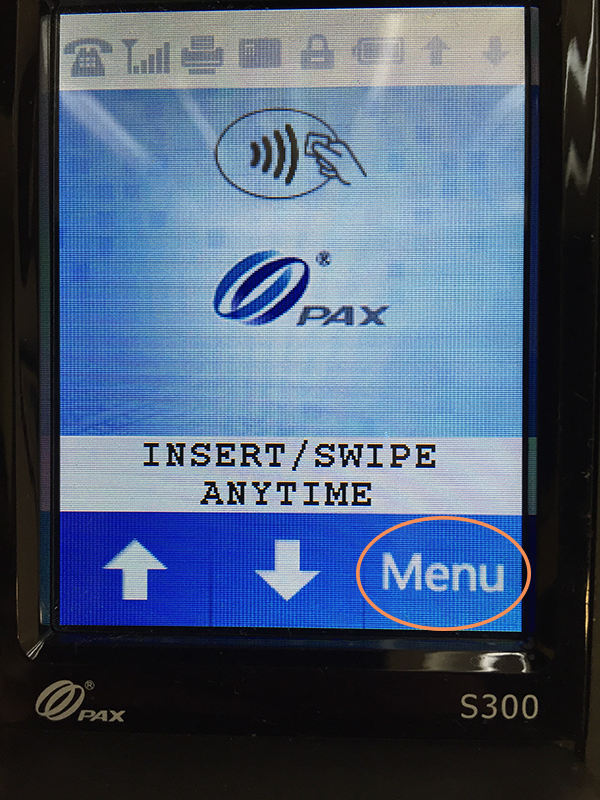
On the PAX S300, click the "Menu" button:
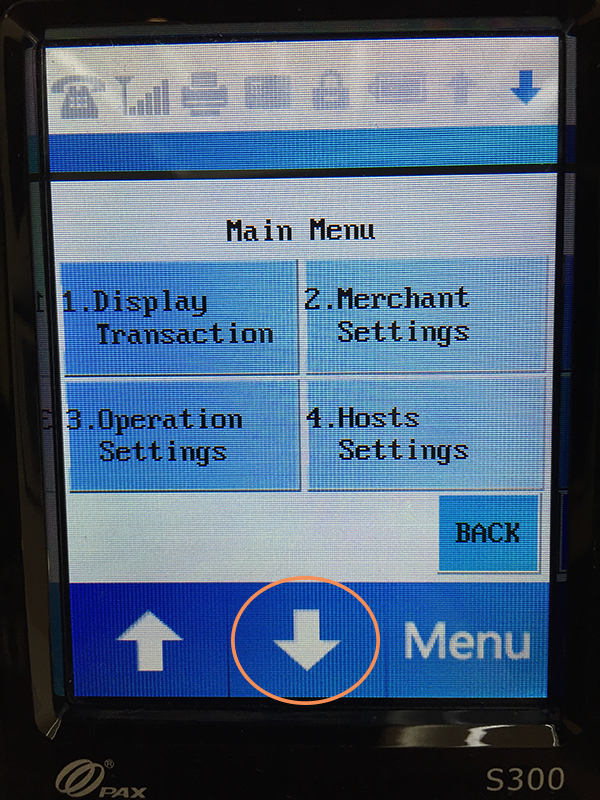
On the next page, click the down arrow:
Next, click the "Communication" button:

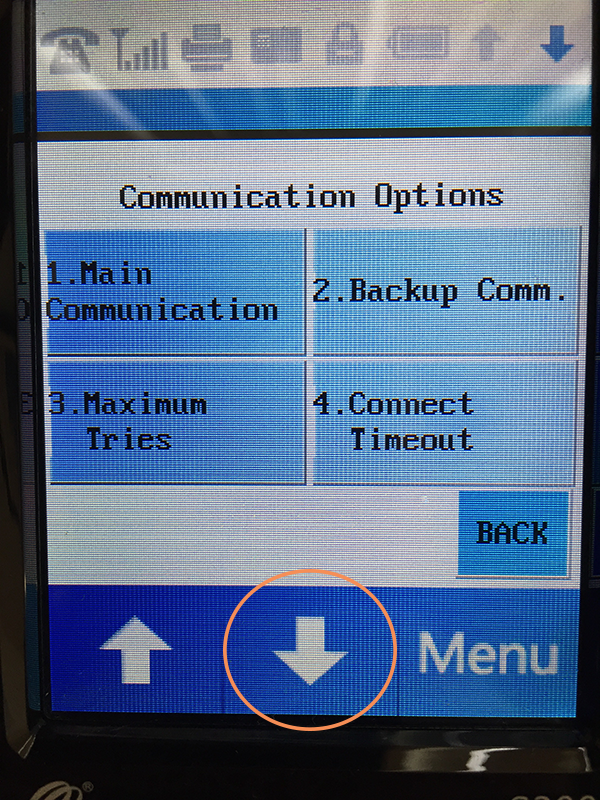
On the "Communication Options" page, click the down arrow:
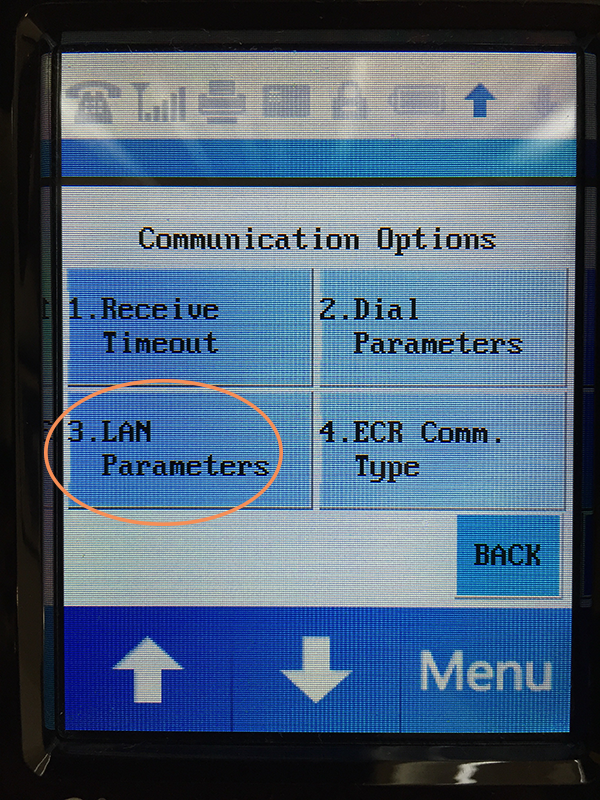
Click "3. LAN Parameters" on the next page:
Click "1. LAN Type" on the next page:

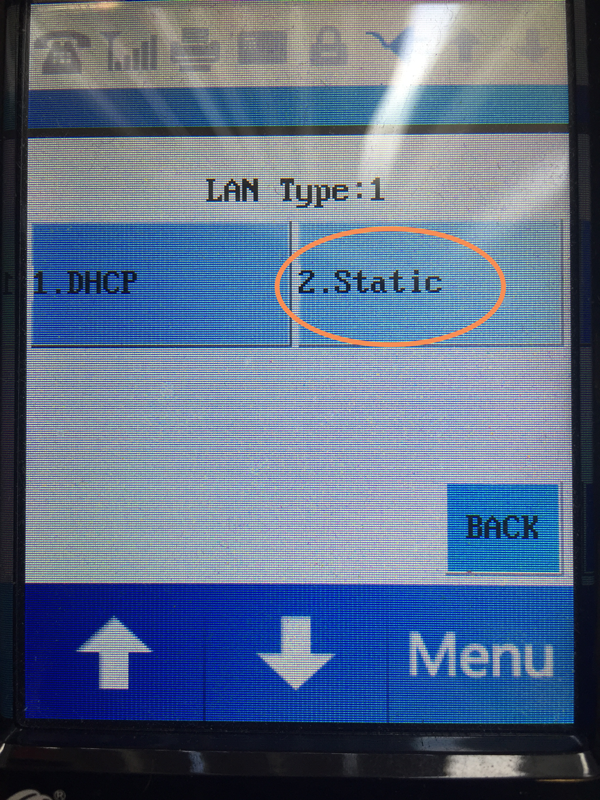
Click "2. Static" on the next page:
You can then press the red button on the device to return to the main menu.